
@ahmadafif.tech
حوّل أي صورة ثابتة
للقطة درون
ارسم مسار الطيران على الصورة، والذكاء الاصطناعي بيحوّلها لڤيديو درون حقيقي بأقل من 30 ثانية.
ارسم مسار الطيران على الصورة، والذكاء الاصطناعي بيحوّلها لڤيديو درون حقيقي بأقل من 30 ثانية.
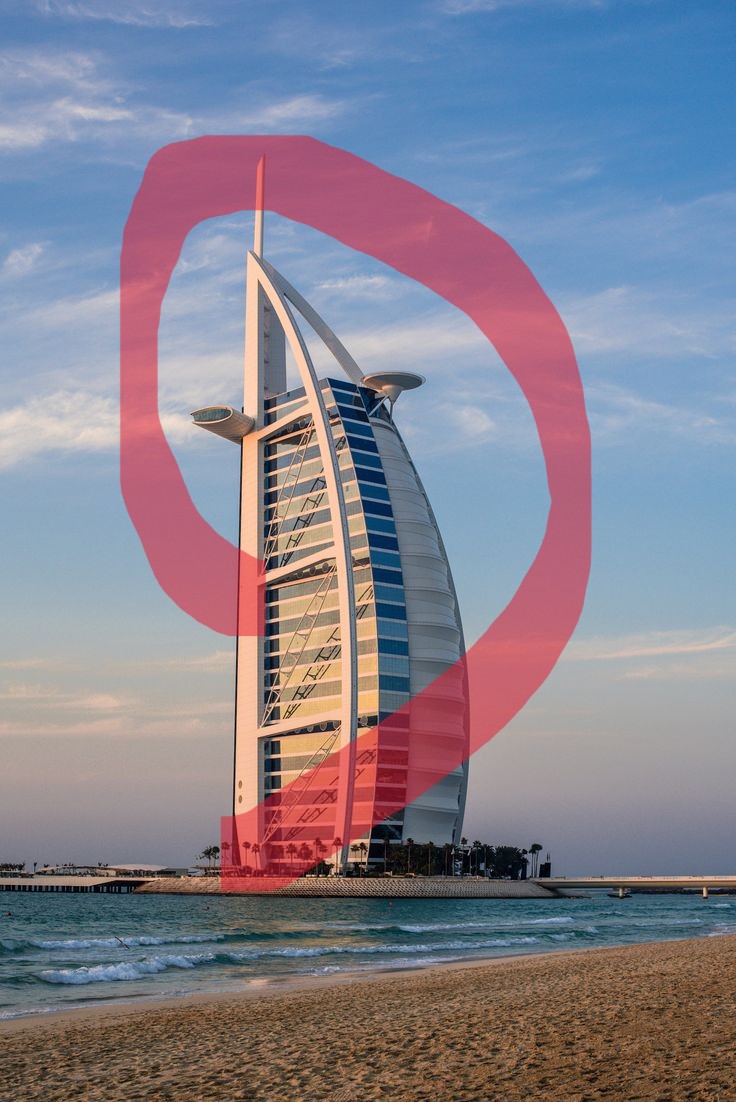
Use the attached image as the starting frame. The red line represents the drone flight waypoints and trajectory only, while the white arrows represent the camera viewing direction only. These are production guides, not scene elements, and must never appear in the final animation. Remove all guides before the animation begins and reveal the clean underlying image.
Create a single continuous aerial drone POV that flies along the exact path defined by the red waypoint line, matching its route, curves, movement direction, and endpoint as closely as possible. Throughout the entire flight, orient the camera according to the white directional arrows, ensuring the drone follows the red path while the camera continuously looks where the white arrows indicate, naturally keeping the subject framed at all times.
The drone trajectory and camera orientation are the highest-priority instructions and must be followed exactly, even when the movement path and viewing direction differ. Use smooth, cinematic drone motion with realistic inertia, gentle banking, and natural acceleration and deceleration, with no cuts, teleports, or sudden camera swings.
Preserve the original scene exactly as shown without modifying the environment, lighting, subject, composition, or any objects. The only change should be the realistic drone movement following the red waypoint path while the camera continuously follows the white viewing directions.
Produce clean, photorealistic footage with no visible guides, annotations, arrows, lines, overlays, graphics, text, or watermarks in any frame.